In today’s digital world, creating high-quality videos no longer requires expensive cameras or advanced editing software. With the right mobile video editing techniques, anyone can transform ordinary clips into engaging, professional-looking content using only a smartphone. Whether you’re creating videos for YouTube, Instagram, TikTok, Facebook, or personal projects, learning the basics of mobile video editing can significantly improve your content.
This beginner-friendly guide covers essential mobile video editing tips, recommended practices, and practical techniques that will help you create polished videos quickly and efficiently.
Why Mobile Video Editing Is Becoming More Popular
Smartphones have become powerful creative tools. Modern mobile devices offer high-resolution cameras, advanced editing apps, and AI-powered features that make editing easier than ever.
Some key advantages of mobile video editing include:
- Edit videos anytime and anywhere
- No expensive computer required
- Fast workflow for social media content
- Easy sharing directly to online platforms
- Beginner-friendly editing applications
Whether you’re a content creator, business owner, student, or hobbyist, mobile editing allows you to produce impressive videos with minimal equipment.
Choose the Right Mobile Video Editing App
Selecting the right editing app is the first step toward creating professional videos.
Popular beginner-friendly editing apps include:
- CapCut
- VN Video Editor
- InShot
- Adobe Premiere Rush
- KineMaster
- PowerDirector
When choosing an app, look for features such as:
- Multi-layer editing
- Video trimming
- Text and titles
- Color correction
- Music library
- Transition effects
- Export in Full HD or 4K
Start with a simple app and gradually explore advanced tools as your editing skills improve.
Organize Your Video Clips Before Editing
A well-organized project saves time and makes editing easier.
Before opening your editing app:
- Remove blurry or shaky clips.
- Rename important video files.
- Arrange clips in chronological order.
- Keep related photos, videos, and music in one folder.
This simple habit speeds up the editing process and helps maintain a smooth workflow.
Trim Unnecessary Footage
One of the biggest mistakes beginners make is keeping every second of recorded footage.
Professional videos are concise and engaging.
While editing:
- Remove long pauses.
- Delete mistakes.
- Cut repetitive scenes.
- Keep only important moments.
A shorter, well-edited video usually performs better than a long, unedited one.

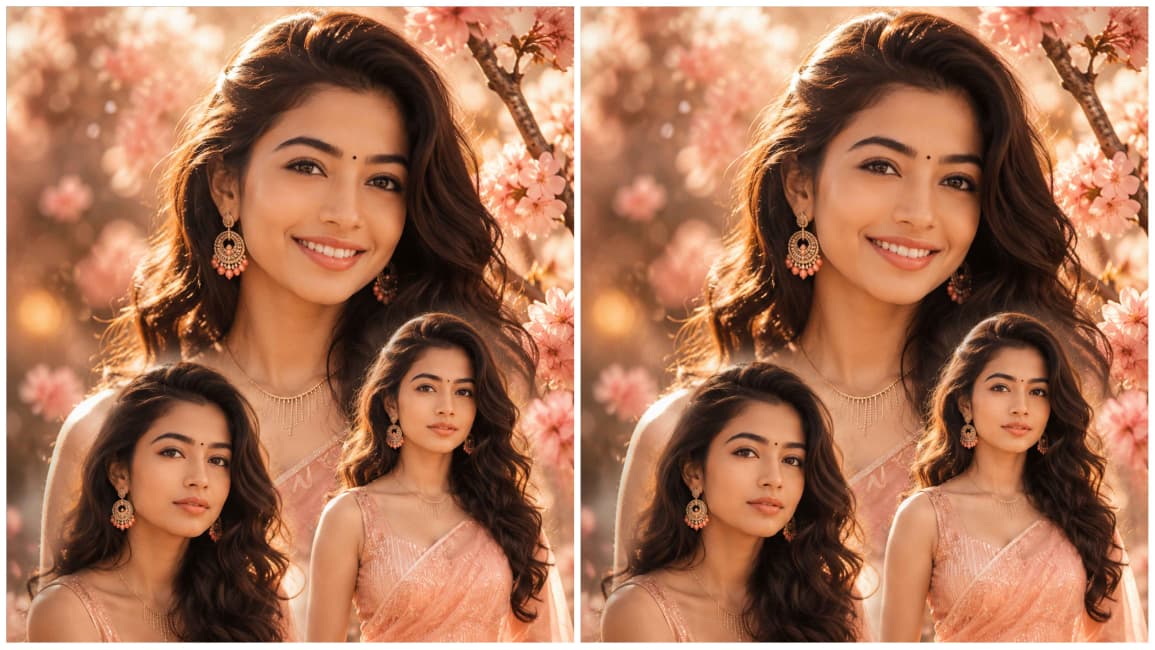
A highly detailed, photorealistic editorial-style portrait collage featuring the same young woman appearing three times in a dreamy floral setting. She has an oval face, smooth warm medium complexion, expressive almond-shaped dark brown eyes, naturally thick well-defined eyebrows, a small round black bindi centered above the eyebrows, a straight medium-sized nose, soft full lips with a natural pink tone, a bright genuine smile in the largest portrait, and calm, neutral expressions in the two smaller portraits. Her facial features are symmetrical with subtle natural skin texture, soft blush, delicate highlights, and realistic pores without excessive retouching. She has long, voluminous dark brown wavy hair with a side part, cascading over her shoulders with soft, glossy curls. She wears elegant dangling circular earrings with gold and coral accents, a delicate gold necklace with vertical chain details, slim bracelets, and a flowing peach-colored sheer organza saree draped gracefully over a matching embroidered blouse featuring fine vertical metallic threadwork. Her physique is naturally proportioned with a slender build, graceful posture, realistic shoulders and arms, and elegant feminine proportions. The main portrait is a close-up with a joyful smile positioned prominently in the upper center, while two medium portraits are placed in the lower left and right foreground, creating a balanced layered composition. Hands are gently folded in front in the standing portrait with relaxed, natural finger positioning. Warm golden-hour backlighting creates a luminous rim light around the hair and shoulders, soft diffused key light illuminates the face, subtle fill lighting preserves facial detail, gentle bloom, cinematic glow, realistic skin reflections, volumetric sunlight, soft haze, and shallow depth of field with creamy bokeh. Background filled with blooming cherry blossom branches, pastel peach and pink flowers, warm sunlight filtering through petals, dreamy atmosphere, soft mist, glowing particles, and ethereal light leaks. Dominant color palette of peach, blush pink, warm ivory, champagne gold, soft coral, and creamy beige with harmonious pastel tones. Rich fabric textures, translucent organza, delicate embroidery, glossy hair strands, realistic jewelry reflections, natural skin sheen, and crisp facial detail. Camera angle at eye level with a slightly elevated perspective, 85mm prime lens, f/1.8 aperture, ultra-shallow depth of field, professional portrait photography, HDR, ultra-high resolution, cinematic color grading, realistic global illumination, high dynamic range, tack-sharp eyes, soft background separation, magazine-quality fashion portrait, luxury editorial aesthetic, fine-art portrait photography, ultra-detailed, 8K, masterpiece, photorealistic, elegant, serene, radiant, dreamy, sophisticated composition.
Maintain a Consistent Video Flow
Every video should tell a story.
Arrange clips in a logical sequence:
- Introduction
- Main content
- Supporting footage
- Conclusion
- Call-to-action
Smooth storytelling keeps viewers interested from beginning to end.
Use Smooth Transitions Sparingly
Transitions connect scenes naturally.
Popular transition styles include:
- Fade
- Dissolve
- Slide
- Crossfade
- Zoom
Avoid using flashy transitions between every clip. Simple transitions create a cleaner and more professional appearance.
Improve Video Quality with Color Correction
Even smartphone videos benefit from basic color adjustments.
Fine-tune:
- Brightness
- Contrast
- Saturation
- Shadows
- Highlights
- White balance
Avoid excessive editing. Natural-looking colors are generally more appealing and professional.
Stabilize Shaky Footage
Camera shake can make videos difficult to watch.
Many mobile editing apps include built-in stabilization tools.
For future recordings:
- Hold the phone with both hands.
- Use a tripod.
- Use a smartphone gimbal.
- Walk slowly while recording.
Stable footage instantly improves production quality.
Add Background Music Carefully
Music enhances emotion and keeps viewers engaged.
Choose music that matches your video’s purpose:
- Relaxing music for travel videos
- Upbeat music for vlogs
- Motivational music for fitness
- Calm instrumental music for tutorials
Keep background music lower than voice narration so dialogue remains clear.
Use High-Quality Sound
Audio quality often matters more than video quality.
Improve sound by:
- Recording in quiet environments
- Using an external microphone
- Reducing background noise
- Adjusting audio levels
- Removing unnecessary noise
Clear audio creates a more enjoyable viewing experience.
Add Professional Text and Titles
Text helps viewers understand your content.
Use titles for:
- Video introductions
- Key points
- Tips
- Names
- Captions
- Calls-to-action
Keep fonts simple, readable, and consistent throughout the video.
Include Subtitles for Better Engagement
Many viewers watch videos without sound.
Adding subtitles helps:
- Improve accessibility
- Increase watch time
- Reach international audiences
- Enhance viewer understanding
Most mobile editing apps now offer automatic subtitle generation.
Keep the Right Aspect Ratio
Different platforms require different video dimensions.
Common formats include:
- 16:9 – YouTube
- 9:16 – TikTok, Instagram Reels, YouTube Shorts
- 1:1 – Instagram Feed
- 4:5 – Facebook and Instagram posts
Export your video in the correct format to avoid cropping issues.
Don’t Overuse Effects
Filters and visual effects can enhance a video, but too many distractions reduce quality.
Avoid:
- Excessive animations
- Overly saturated filters
- Constant zoom effects
- Flashing transitions
Simple edits often look more professional than heavily edited videos.
Export Videos in High Quality
Always choose the highest quality your device supports.
Recommended export settings:
- Resolution: 1080p Full HD
- Frame Rate: 30 FPS or 60 FPS
- High bitrate for better clarity
- MP4 format for compatibility
High-quality exports make your content look more polished across all platforms.
Practice Keyboard Shortcuts and Editing Gestures
Although mobile editing relies on touch controls, learning app-specific gestures can significantly speed up your workflow.
Practice:
- Pinch to zoom timeline
- Multi-select clips
- Split clips accurately
- Duplicate clips
- Undo and redo quickly
Small efficiency improvements save valuable editing time.
Save Project Backups
Unexpected crashes or accidental deletions can ruin hours of work.
Good habits include:
- Saving projects regularly
- Creating duplicate project files
- Backing up videos to cloud storage
- Keeping original footage safe
Having backups gives you peace of mind and protects your work.
Learn Through Regular Practice
Video editing is a skill that improves with experience.
Try creating different types of content:
- Travel videos
- Daily vlogs
- Product reviews
- Cooking tutorials
- Educational videos
- Short cinematic edits
Each project teaches new editing techniques and builds confidence.
Common Mistakes Beginners Should Avoid
Avoid these frequent errors:
- Using too many transitions
- Adding loud background music
- Ignoring audio quality
- Exporting in low resolution
- Making videos unnecessarily long
- Using inconsistent fonts
- Overusing filters
- Forgetting subtitles
- Skipping color correction
- Uploading without reviewing the final edit
Correcting these mistakes can dramatically improve your videos.
Final Thoughts
Learning mobile video editing for beginners doesn’t have to be complicated. By mastering simple techniques such as trimming clips, improving audio, applying subtle color correction, adding clear text, and exporting videos in high quality, you can produce engaging content directly from your smartphone.
The key to becoming a better editor is consistency. Experiment with different editing styles, study successful creators, and refine your workflow with every project. Over time, your videos will become more polished, your editing process will become faster, and your content will stand out across social media and video-sharing platforms.
Whether you’re building a personal brand, growing a YouTube channel, promoting a business, or simply preserving memories, these mobile video editing tips provide a solid foundation for creating professional-looking videos without expensive equipment.